See it before you try it. ZoraLister Online, screen by screen.
Real screens from ZoraLister Online, filled with a made-up shop: four handmade products and three vinyl decals, listed to TikTok Shop. Nothing here is a mock-up; the shop and its sales are made up.
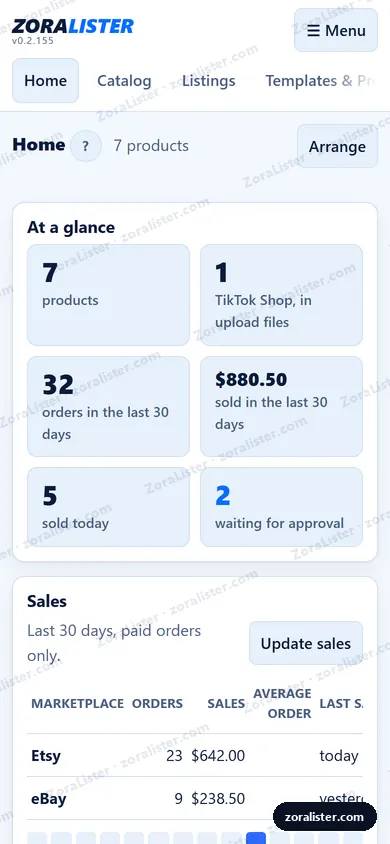
Pictures from ZoraLister Online 0.2.155 · October 27, 2026Your shop at a glance
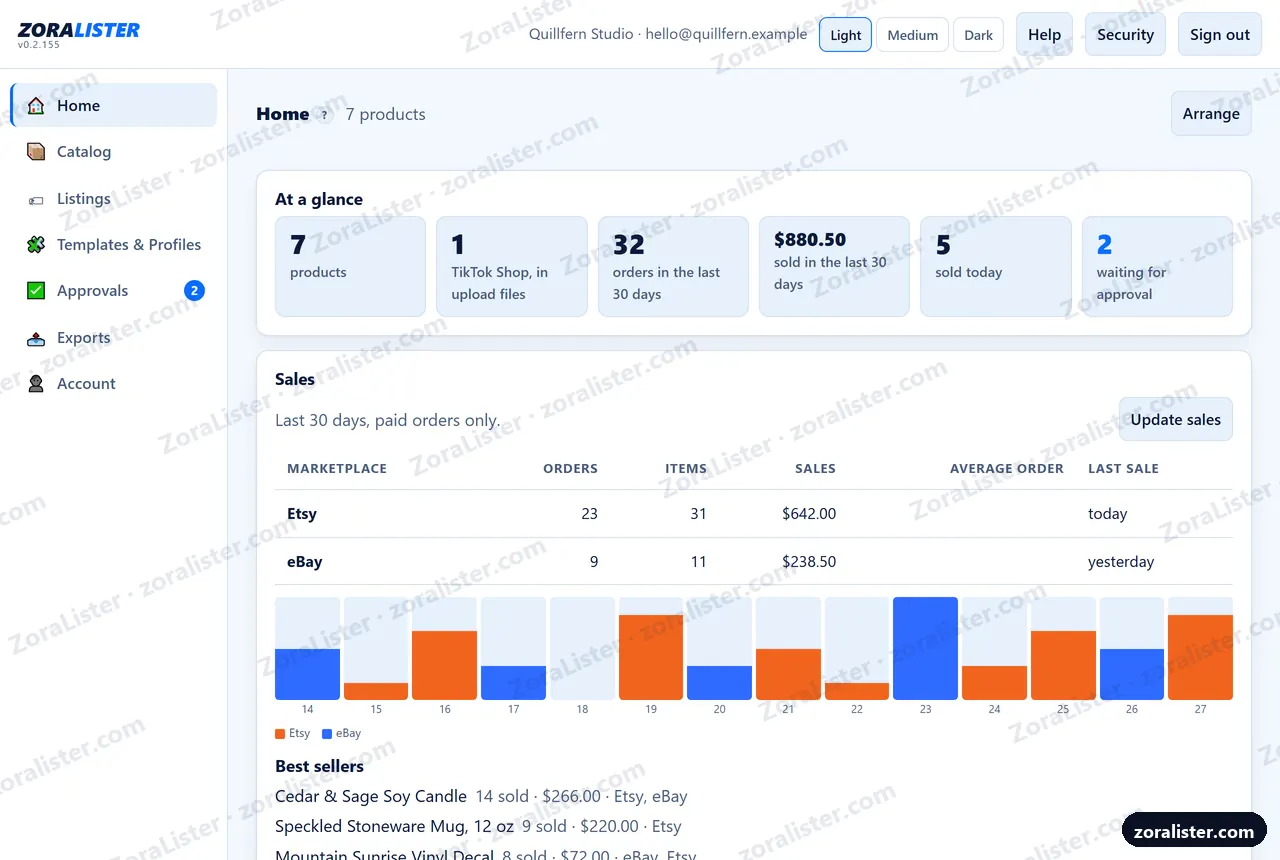
Where you land when you sign in. Choose the cards you want at the top - products, what is on each marketplace, orders and sales in the last 30 days, sold today, what is waiting for you. Your eBay and Etsy sales, read for you: orders, items and money per marketplace, the last two weeks day by day, and your best sellers. And what is on one marketplace but not another, ready to list. Arrange the panels the way you like them.
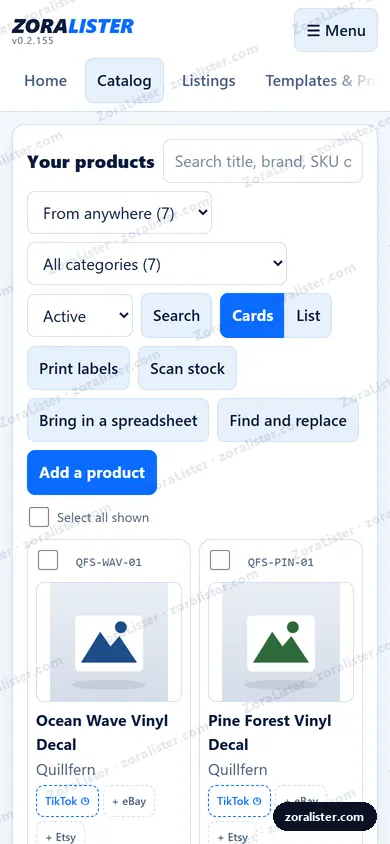
All your products in one place
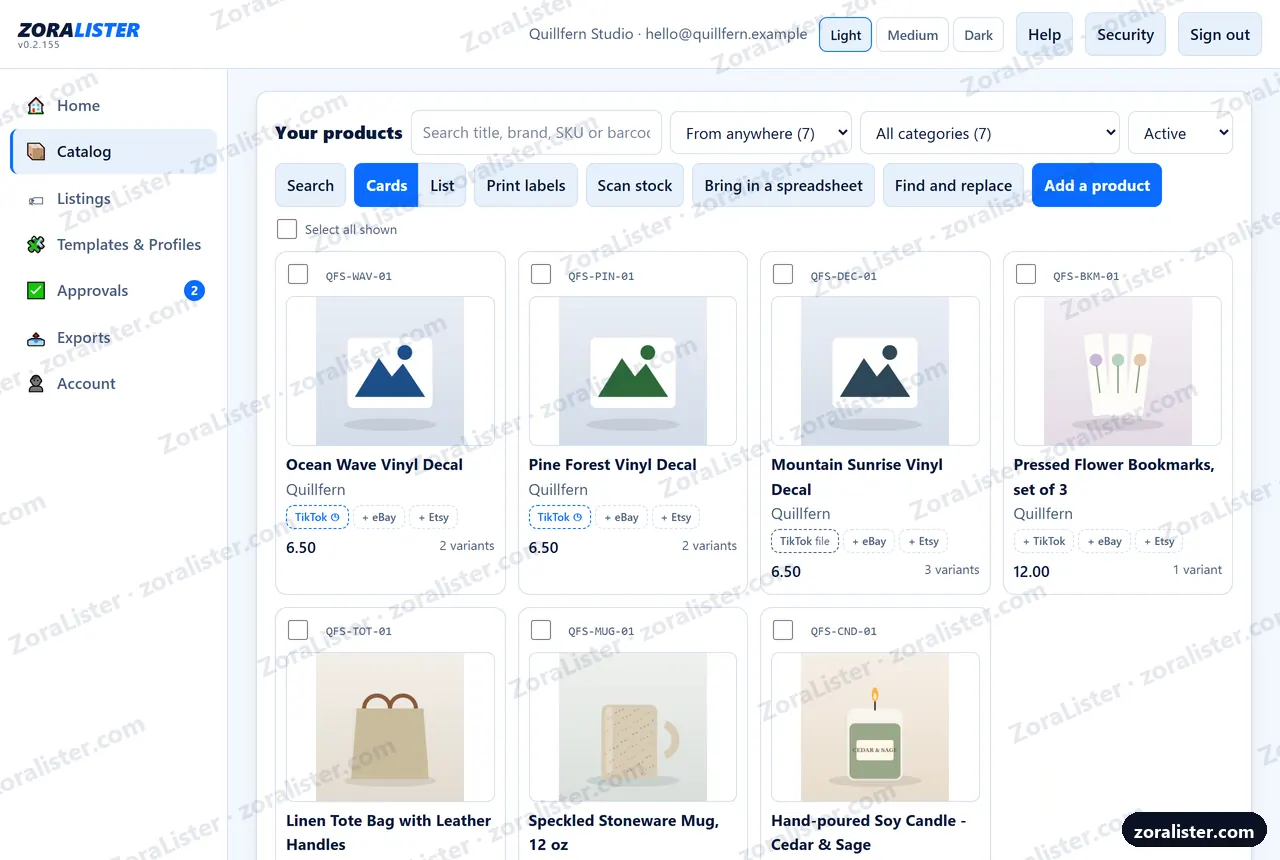
Each one with its photo, SKU, price and how many variants it has. Search by title, brand, SKU or barcode, or see only what came from eBay, from Etsy or was added here. Add them one at a time or bring in the spreadsheet you already keep - and if you already sell on eBay or Etsy, bring those listings in, photos and all. Print SKU labels for your shelf, count stock with a barcode scanner, by typing the code, or with an Android phone's camera, and open any product in a tab of its own.
One change, every product it belongs in
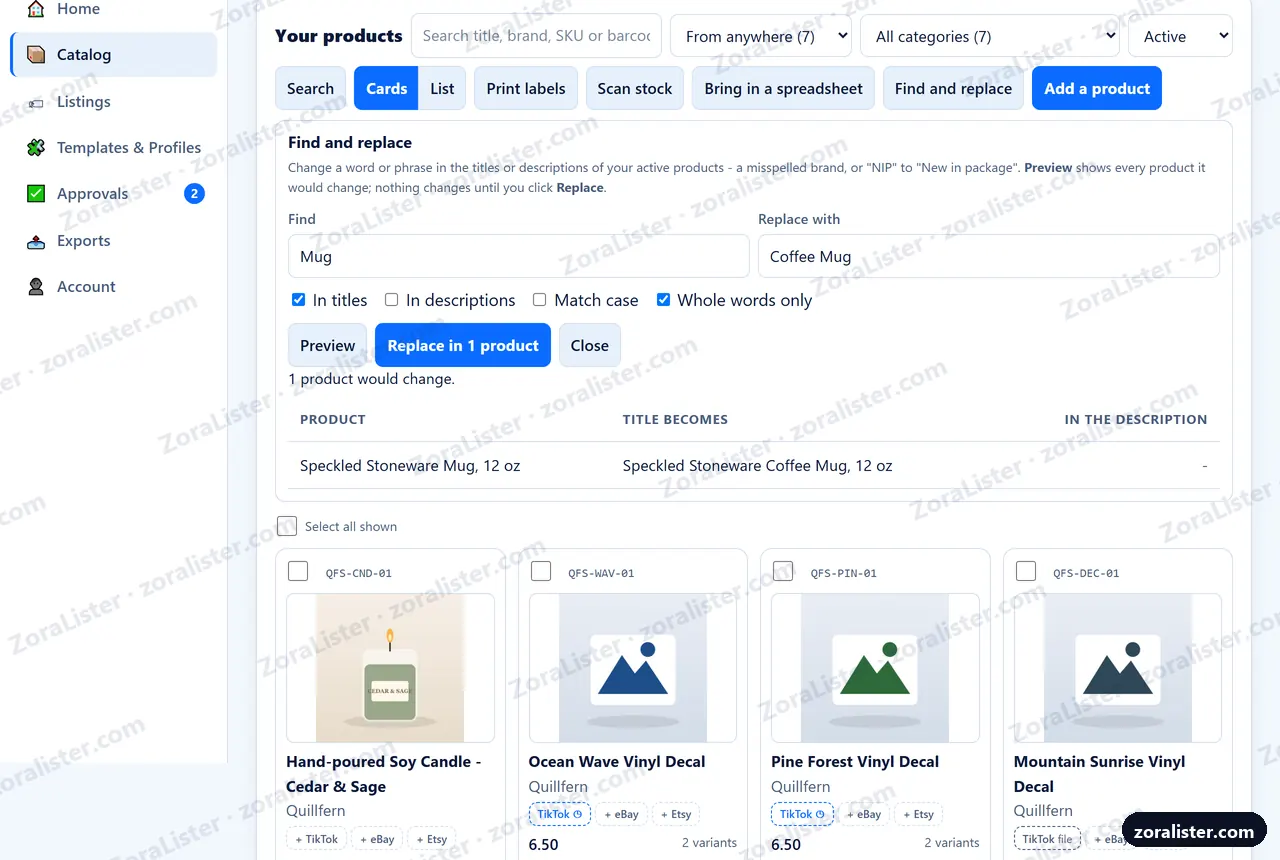
A misspelled brand, or "NIP" that should say "New in package": type it once, choose titles, descriptions or both, and Preview lists every product it would change and what each title becomes. Nothing changes until you click Replace - and then only the products you saw.
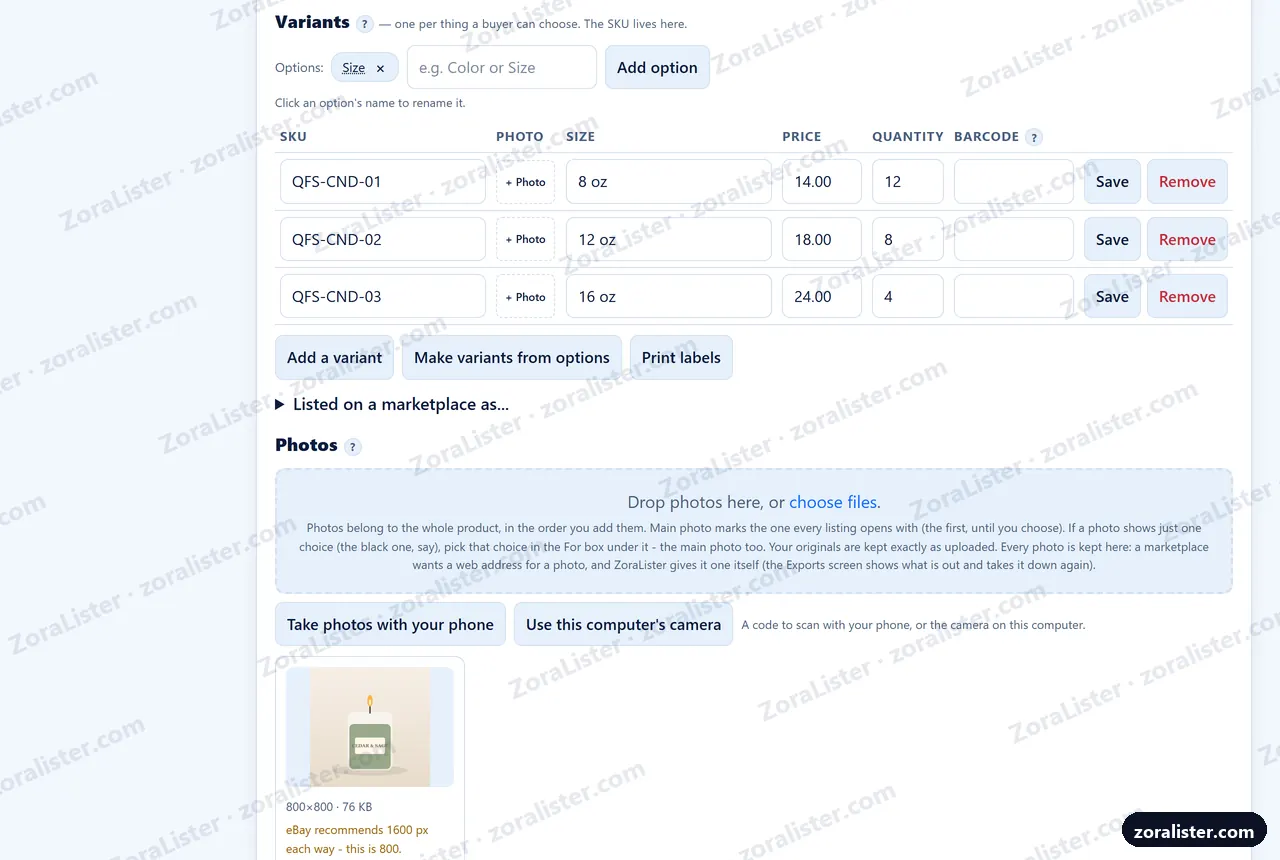
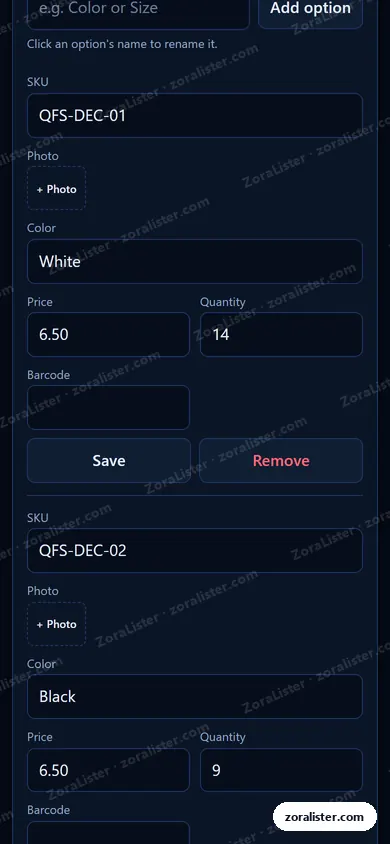
Every size and color, each with its own SKU
One product, every version a buyer can choose, each with its own SKU, price and quantity. Photos from your computer, or taken with your phone: scan the code on screen and the photos you take land on the product. ZoraLister keeps them for you - pick the main one, give a photo to one choice, rotate or crop it, and see where it falls short of a marketplace's standards.
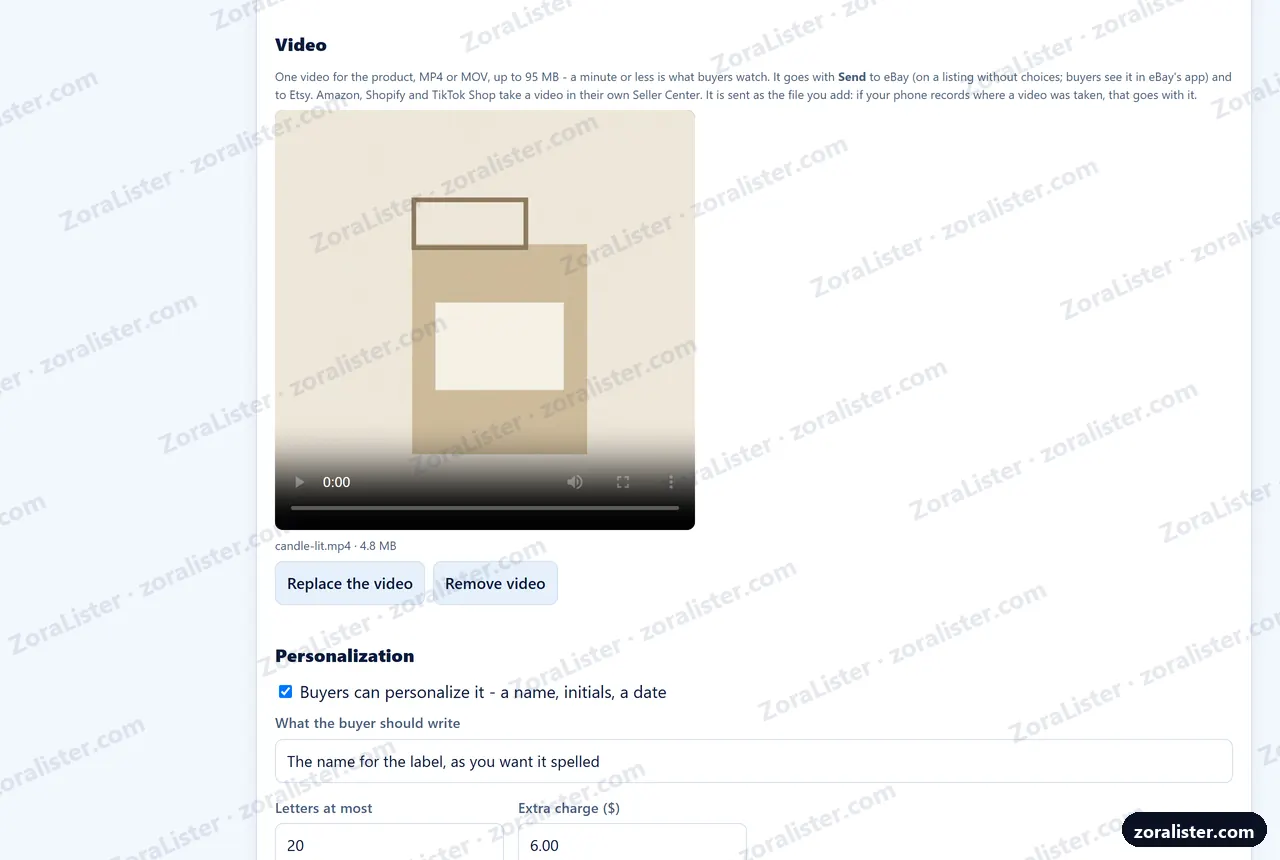
A video, and a name the buyer writes in
Add one video to a product - an MP4 or MOV from your phone - and it goes out with the listing to eBay and Etsy. Let buyers personalize it: a name, initials or a date, with your instructions, a letter limit and an extra charge. Etsy adds your charge; eBay asks for it where the category offers personalization. A choice of font is a variant, priced each.
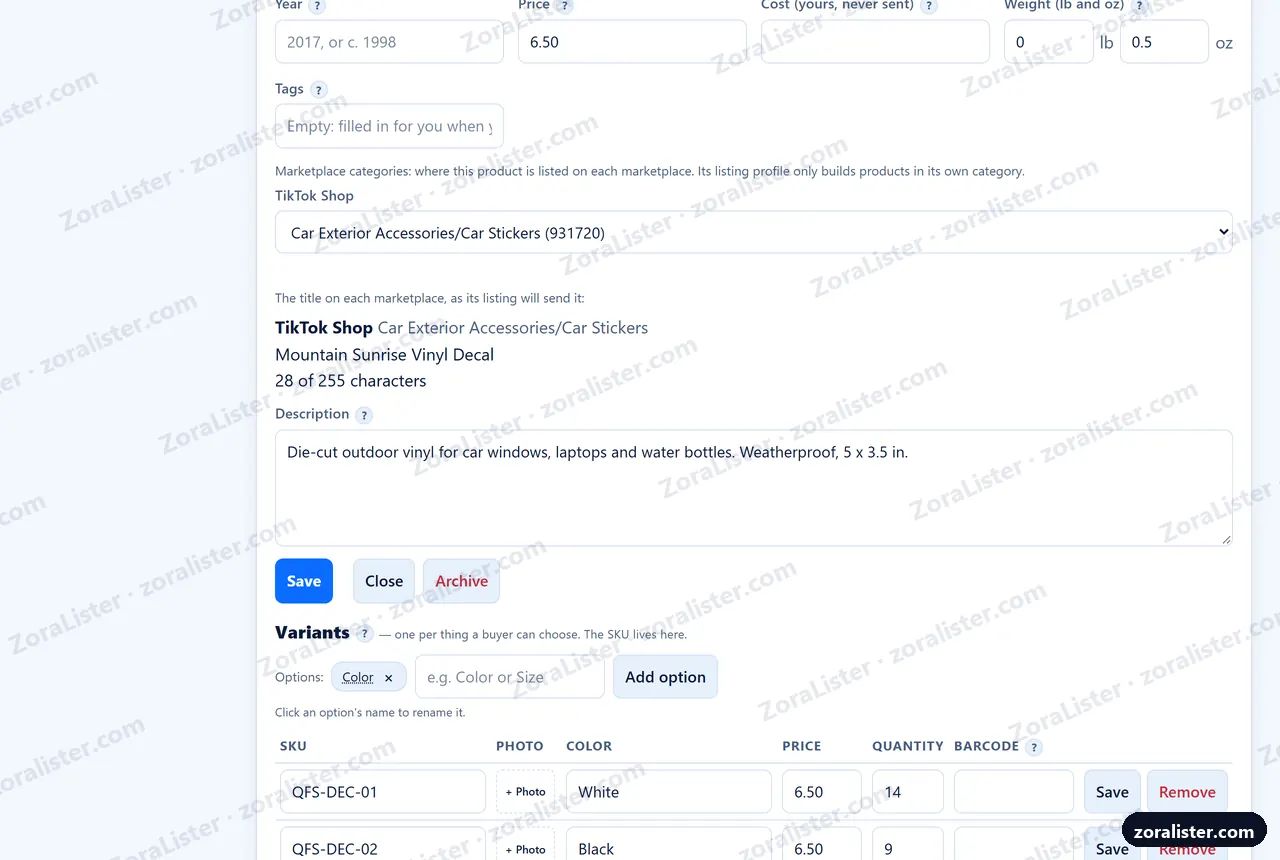
Each marketplace's title, against its limit
Every marketplace has its own title limit, and some categories add words of their own. Once you have checked a product on Listings, it shows the title each marketplace will get and how long it is - "92 of 80 characters - shorten by 12" - so you shorten it yourself. ZoraLister never cuts a title short.
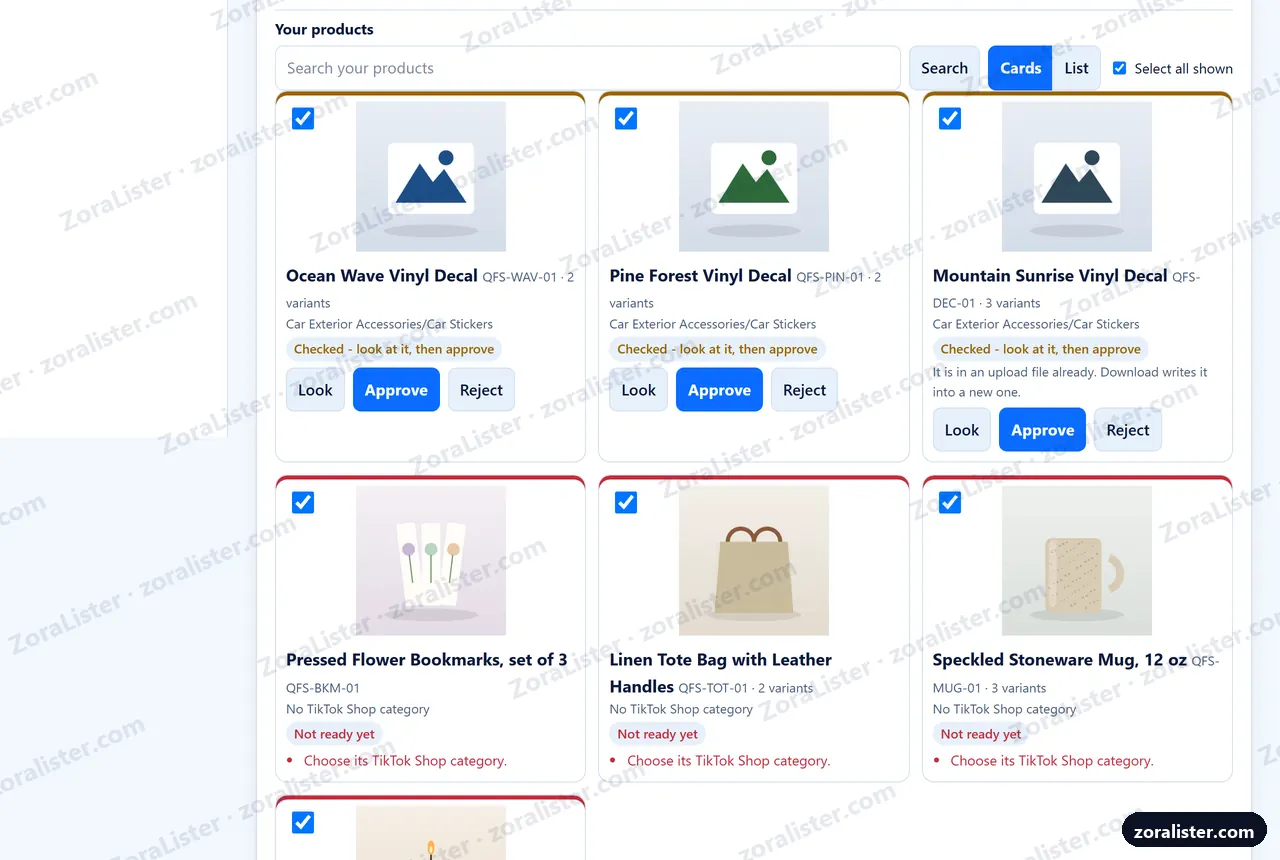
Checked before anything is listed
Pick a marketplace and select the products you want to list. Check says, in plain words, what each one still needs. Look shows exactly what the marketplace will get, and nothing goes anywhere until you approve it.
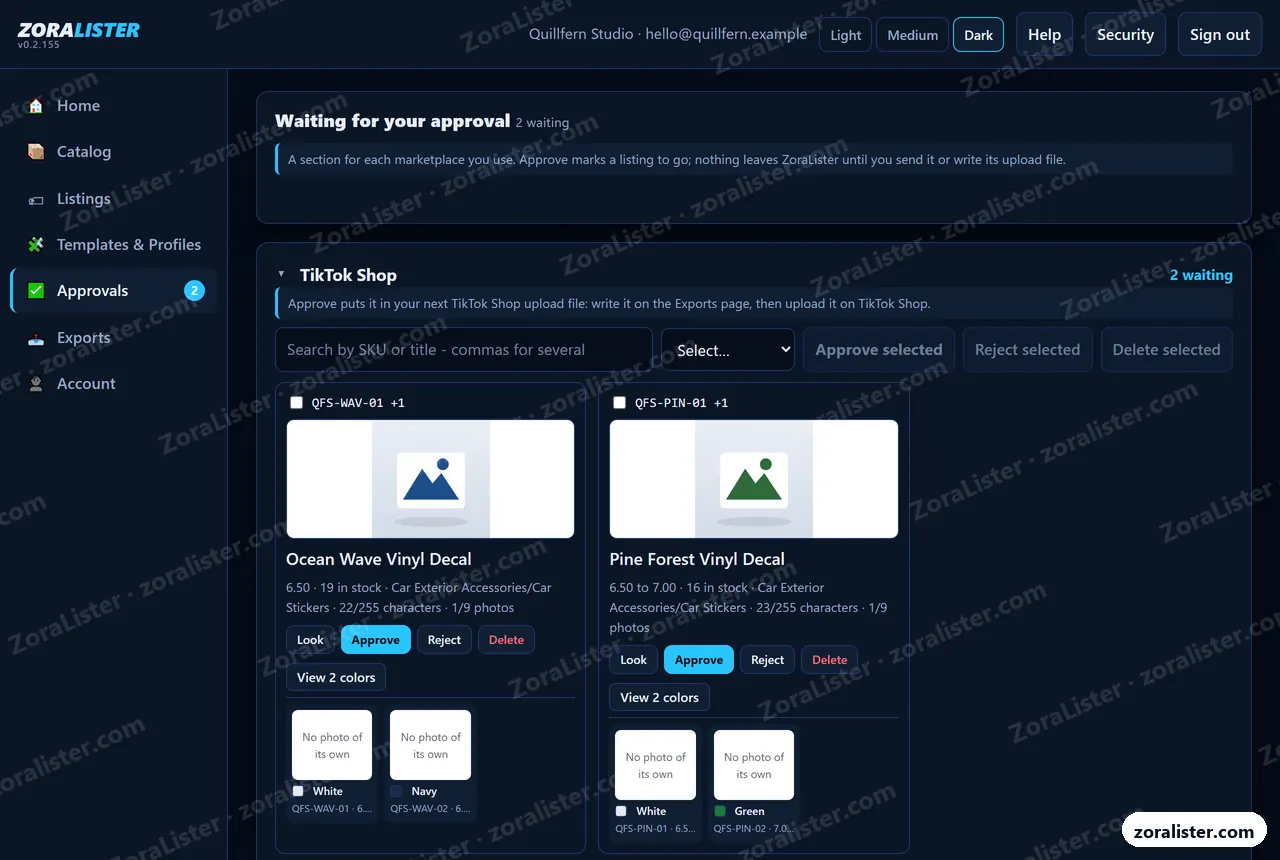
You approve every listing
A section for each marketplace you use, and a card for each listing waiting: its photo, price and stock, and each choice with its own photo and SKU. Approve the ones that are right, reject one that needs work with a reason, or delete one you do not want - the product stays on Your products. In light, medium or dark, whichever is easier on your eyes.
The upload file, filled in for you
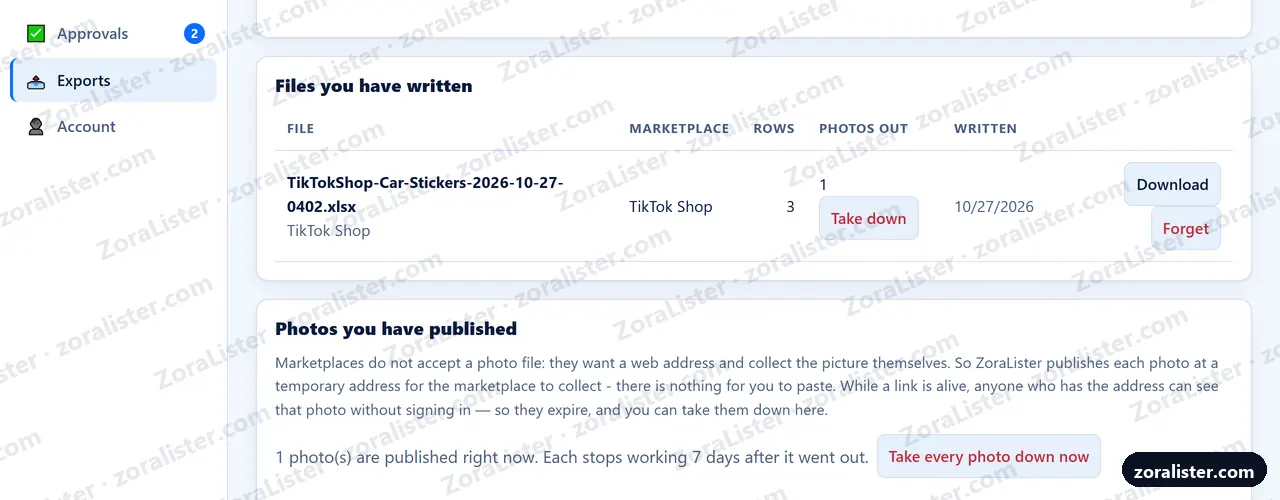
For TikTok Shop, ZoraLister writes its own bulk upload file from what you approved, and you upload it there. eBay and Etsy need no file: connect them, and your approved listings are sent straight from ZoraLister - live listings on both. eBay's upload file is still there if you prefer one.
Your shop's name and your email
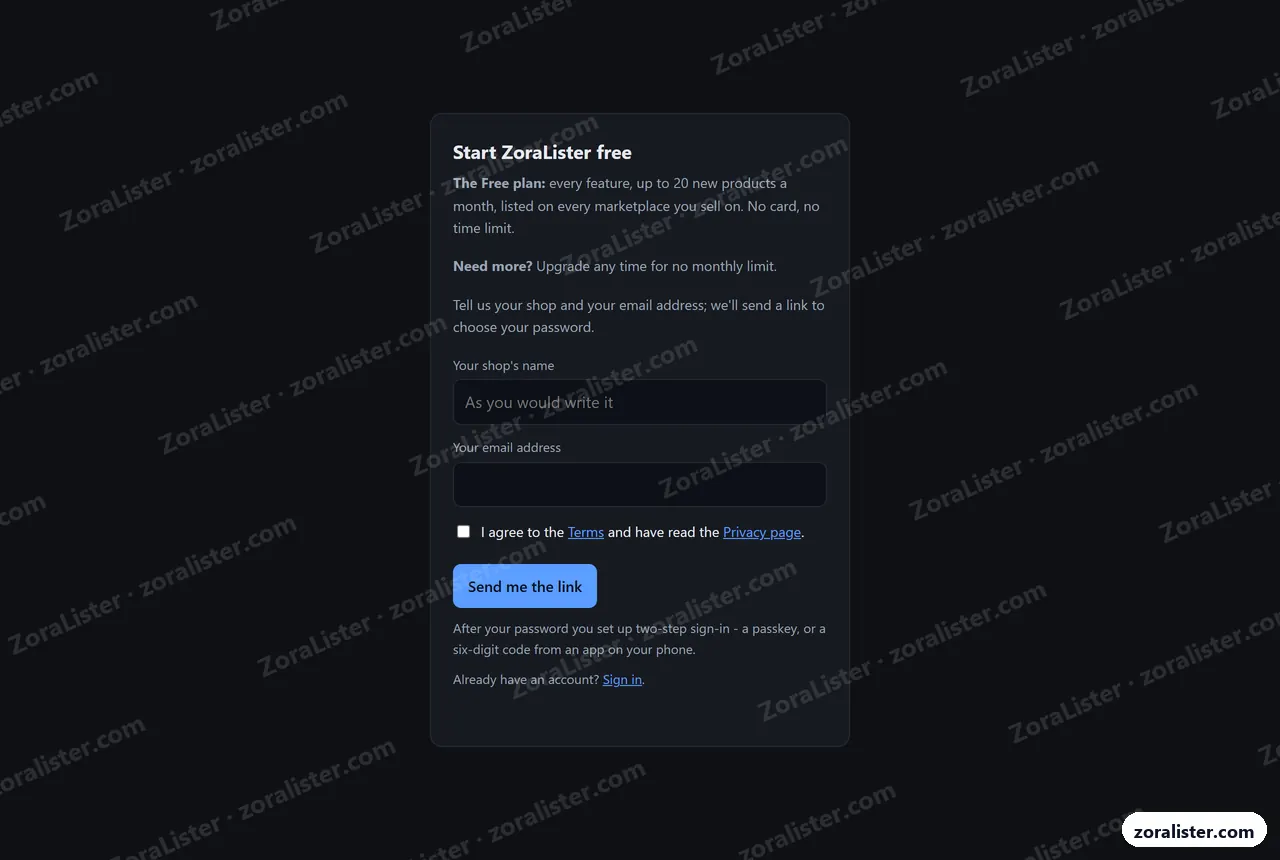
Sign up at app.zoralister.com/signup: no card. We email you a link to choose your password, then you set up two-step sign-in - a passkey, or a six-digit code from an app on your phone.
Free to start, upgrade when you are ready
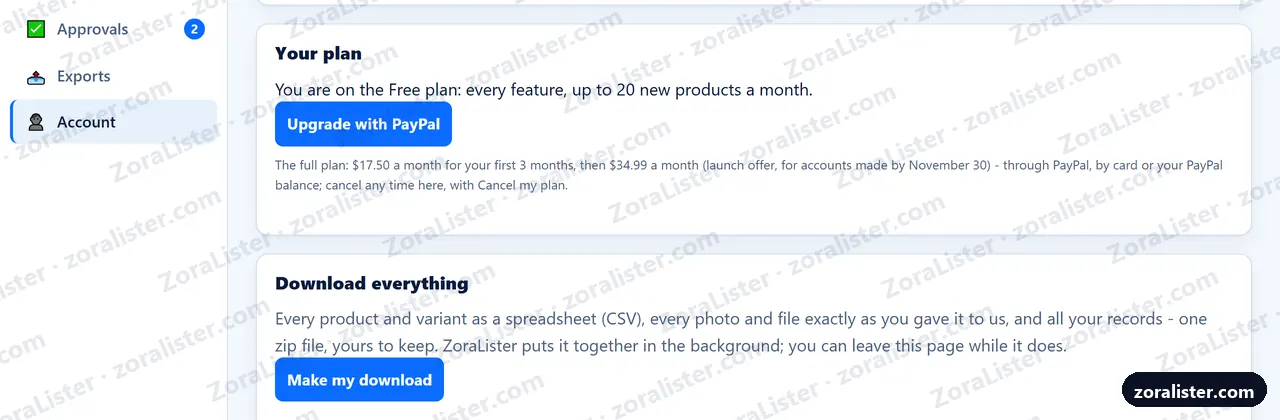
The Free plan has every feature and up to 20 new products a month. When you want more, Upgrade with PayPal - by card or your PayPal balance - and Cancel my plan, on the same card, stops it whenever you like.
How you sign in, your choice
Add a passkey on each phone or computer, or connect your Google account. Account also shows how much you have used, and Download everything gives you all of it - products, photos and records - in one zip file, any time.
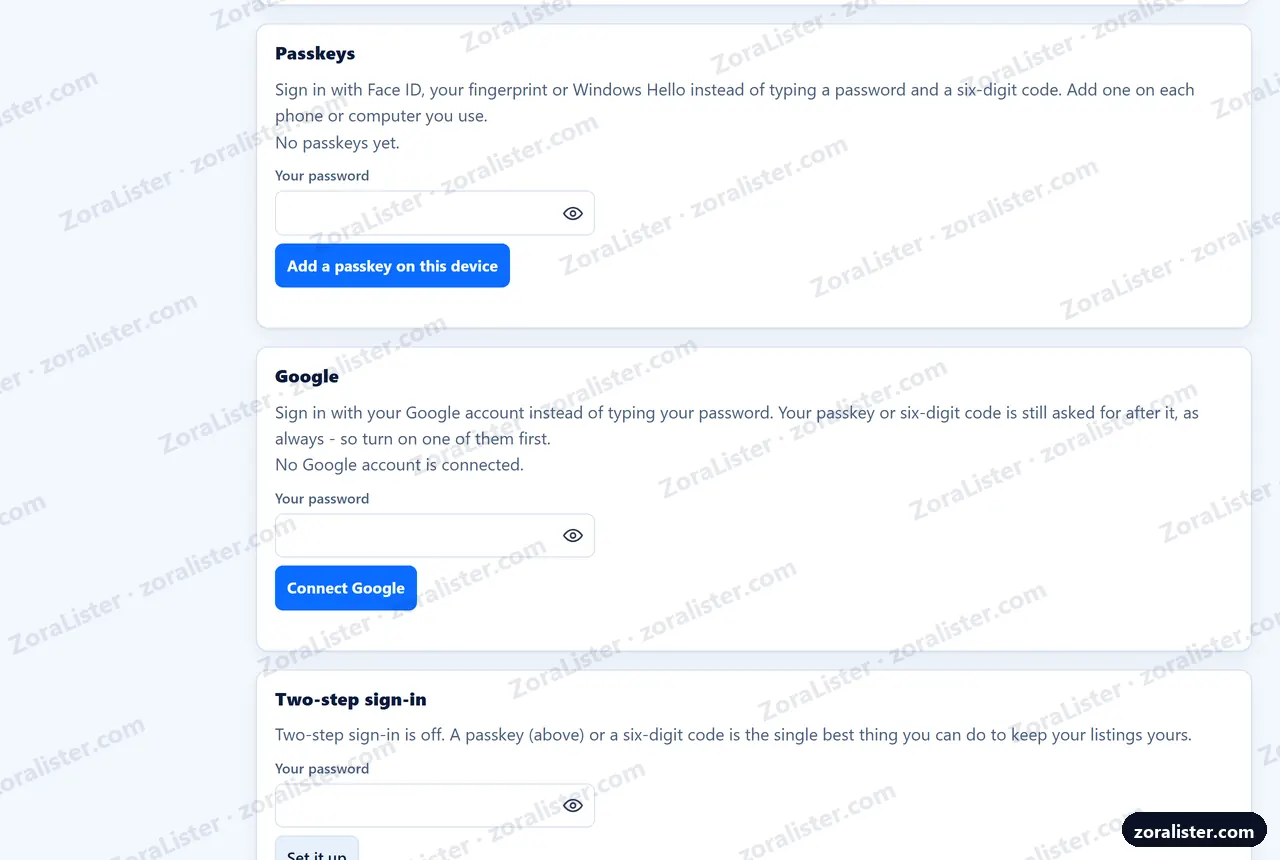
Your face or fingerprint, not a code
Add a passkey once on each phone or computer, and signing in is Face ID, your fingerprint or Windows Hello - nothing to type, so a fake page has nothing to catch. Or Sign in with Google, once you have connected it - followed by your passkey or code, so Google alone never opens your shop. Your password and the code from an authenticator app stay as the way back.
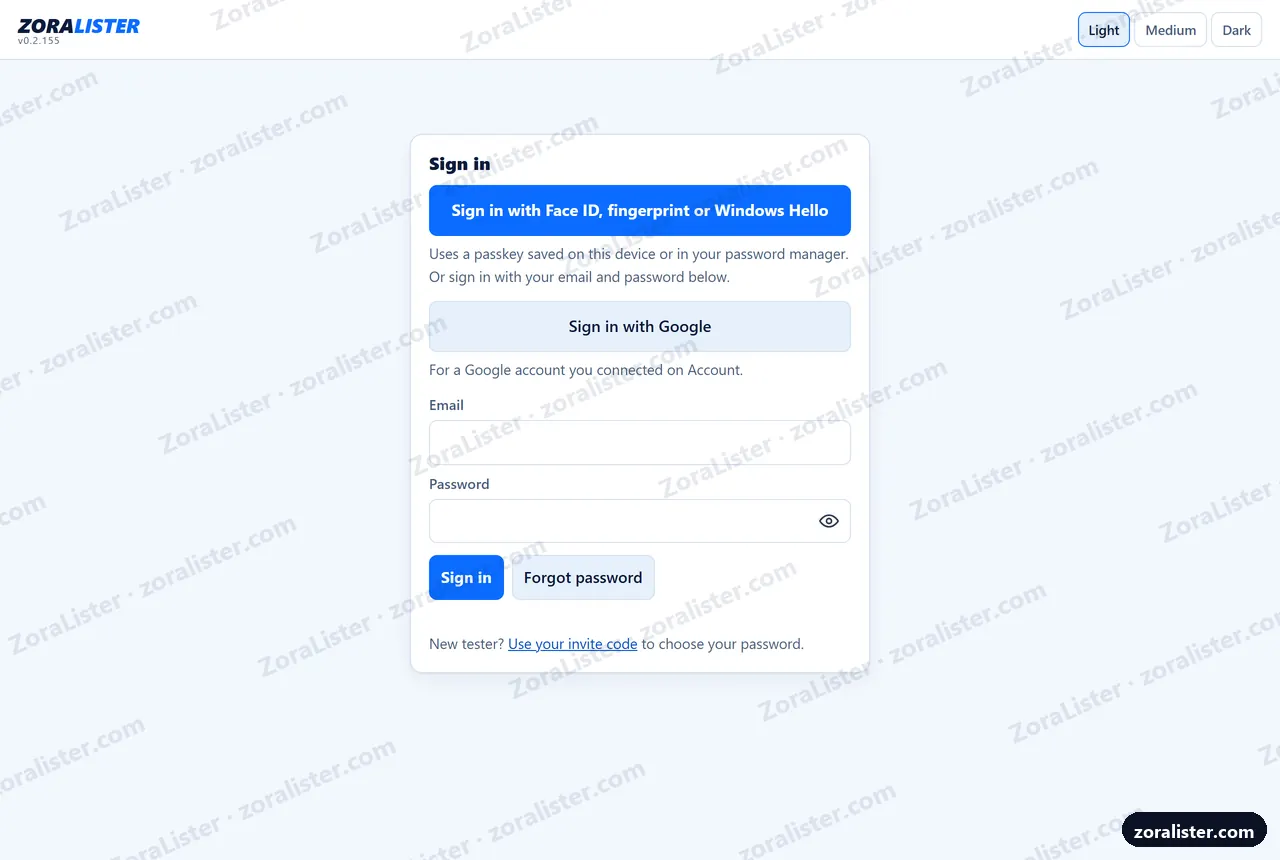
The same app in your pocket
ZoraLister Online goes on your phone's home screen and opens like an app, with nothing to download from an app store. Home, your products, their variants, and the camera, wherever you are.
These pictures are © 2026 Zora Software, shown so you can see what ZoraLister looks like. Please don't copy or reuse them. The shop in them is made up. Want to try the real thing? Start free, or read the Online guide for every screen in words.